Stop paying for things you forgot. Then give every paycheck a plan.
Drop in your bank statement. The Money Reset Organizer lists the recurring charges hiding in it, gives you the official cancel page for each one, a word-for-word call script for the bills you can't cancel, and builds your own 30-day plan from your real numbers.
- No bank login
- Nothing uploaded
- One payment, no subscription
- US · UK · Canada
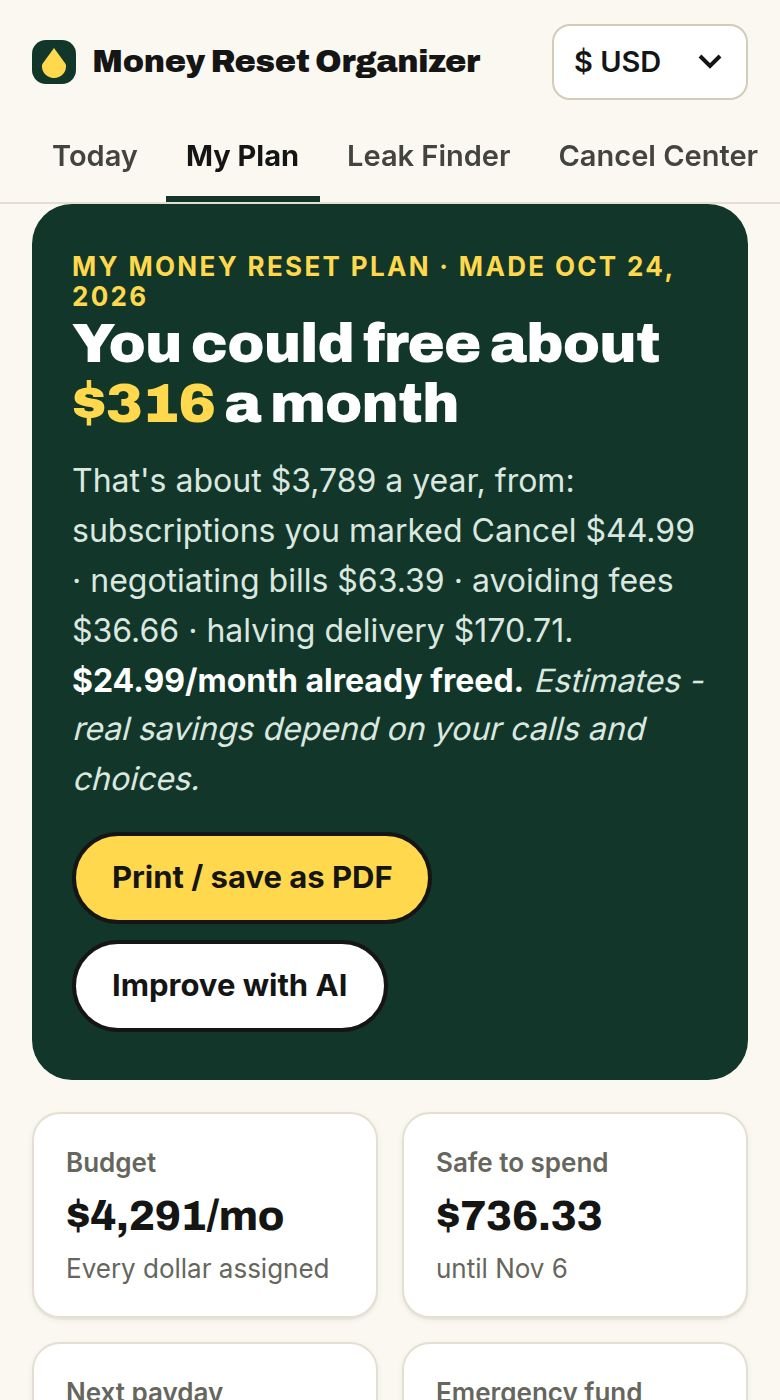
The real app, shown with a sample statement. Your statement stays on your device.
It's not one big expense. It's twenty small ones you never chose again.
- You get paid, and a week later you're checking your balance before the grocery run.
- Your phone, internet and car insurance quietly went up. Nobody called to tell you.
- Your broadband, mobile and car insurance went up mid-contract. Nobody rang to tell you.
- A "free trial" from months ago is still charging you, every month.
- You know you should cancel the gym. You just can't find where.
- You tried a budgeting app once. It wanted your bank login and a monthly fee, and you stopped opening it after a week.
Small, automatic charges are the easiest money to get back, because you don't have to earn more or give anything up you actually use. You have to see them, and then know exactly where to click or what to say. That's what this does.
One file in. A finished plan out.
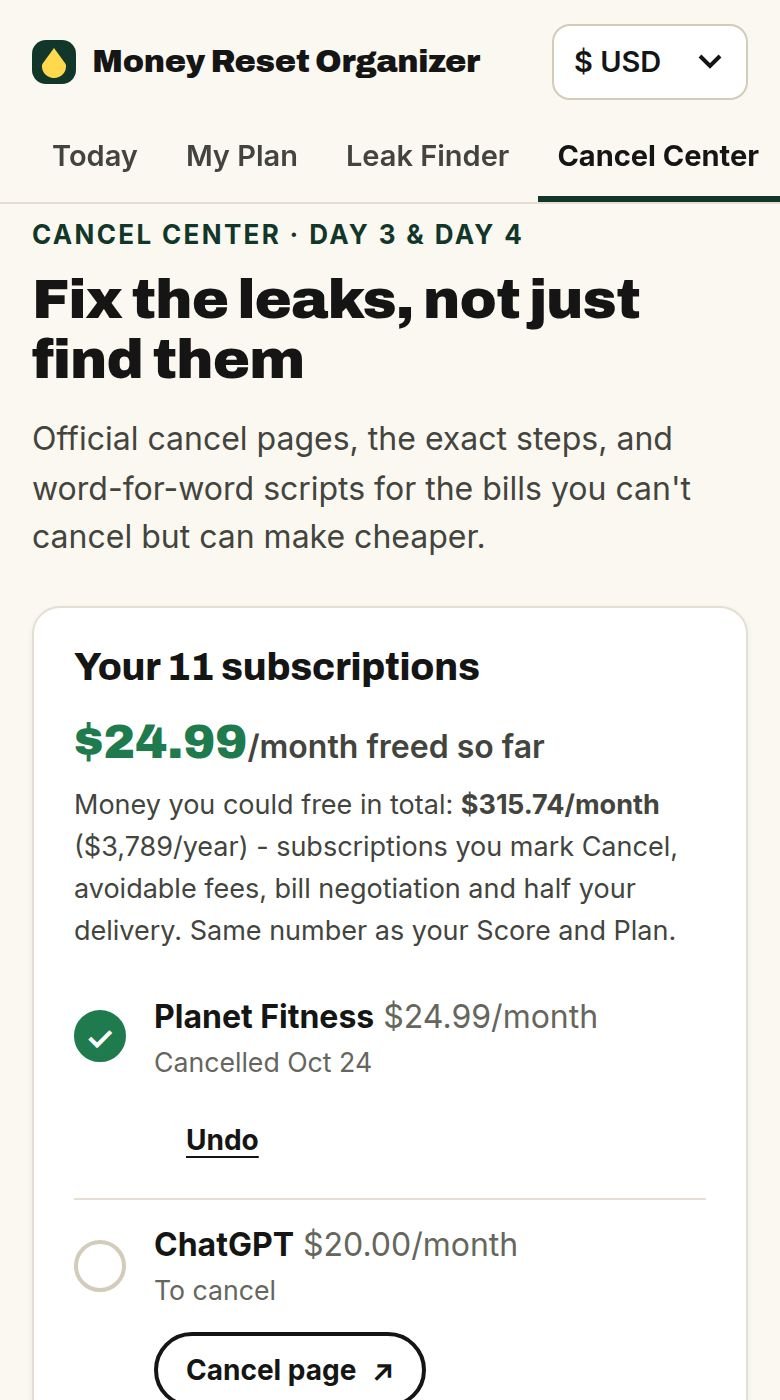
Every cancel page in one place. And what to say when you can't just cancel.
No more hunting through account menus that are designed to keep you paying. For each subscription in your statement you get the official cancel page, the exact steps, any notice period, and the cheaper plan to ask for first if you'd rather keep it.
For bills you can't simply cancel (internet, phone, car insurance), you get a word-for-word call script: what to say, what to ask for, and what to say when they say no. Bills that can't be haggled, like regulated utilities such as Duke Energy, are labelled honestly, with what you can check instead.
Includes Netflix, Planet Fitness, Hulu, Amazon Prime and many more. Tap "Mark as cancelled" and watch "money freed" go up.
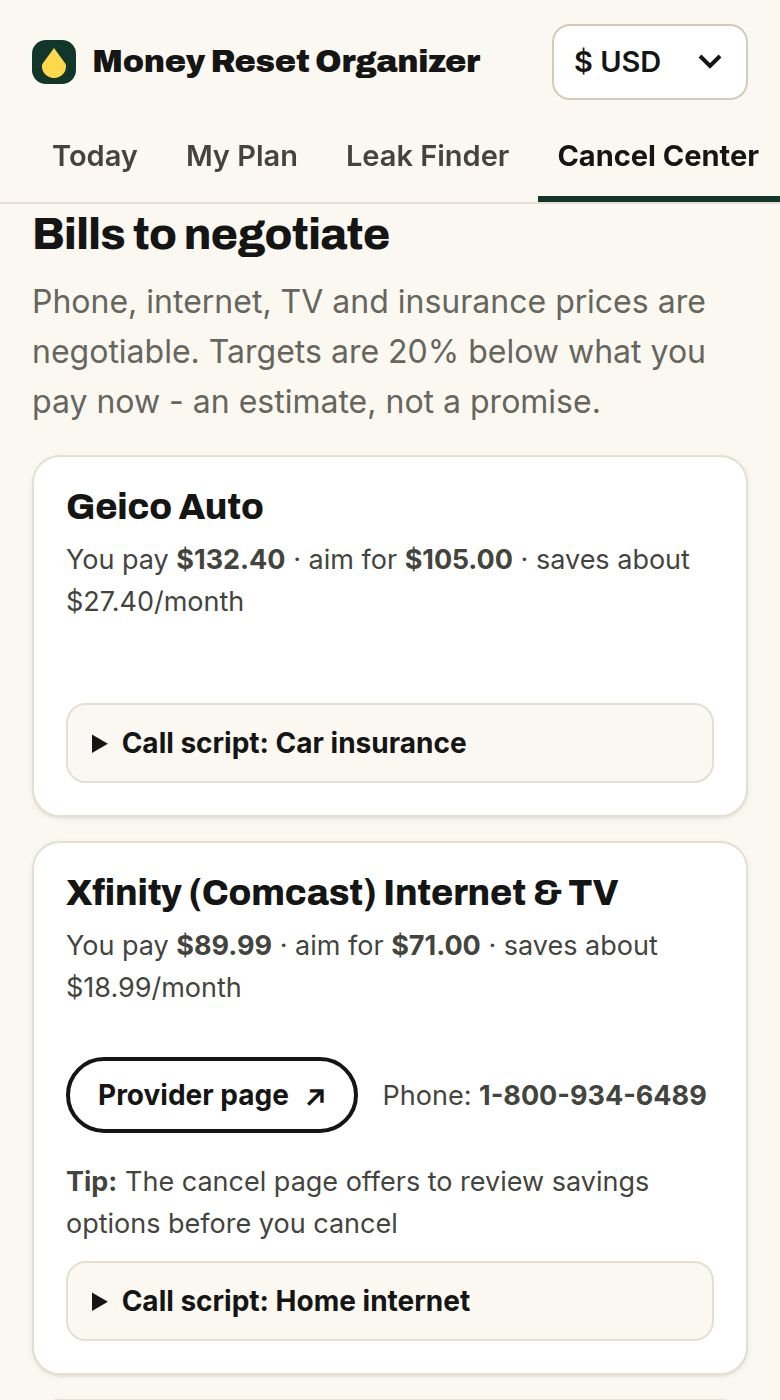
Sample statement. Targets are estimates, not promises.
Your 30 days, written from your own statement.
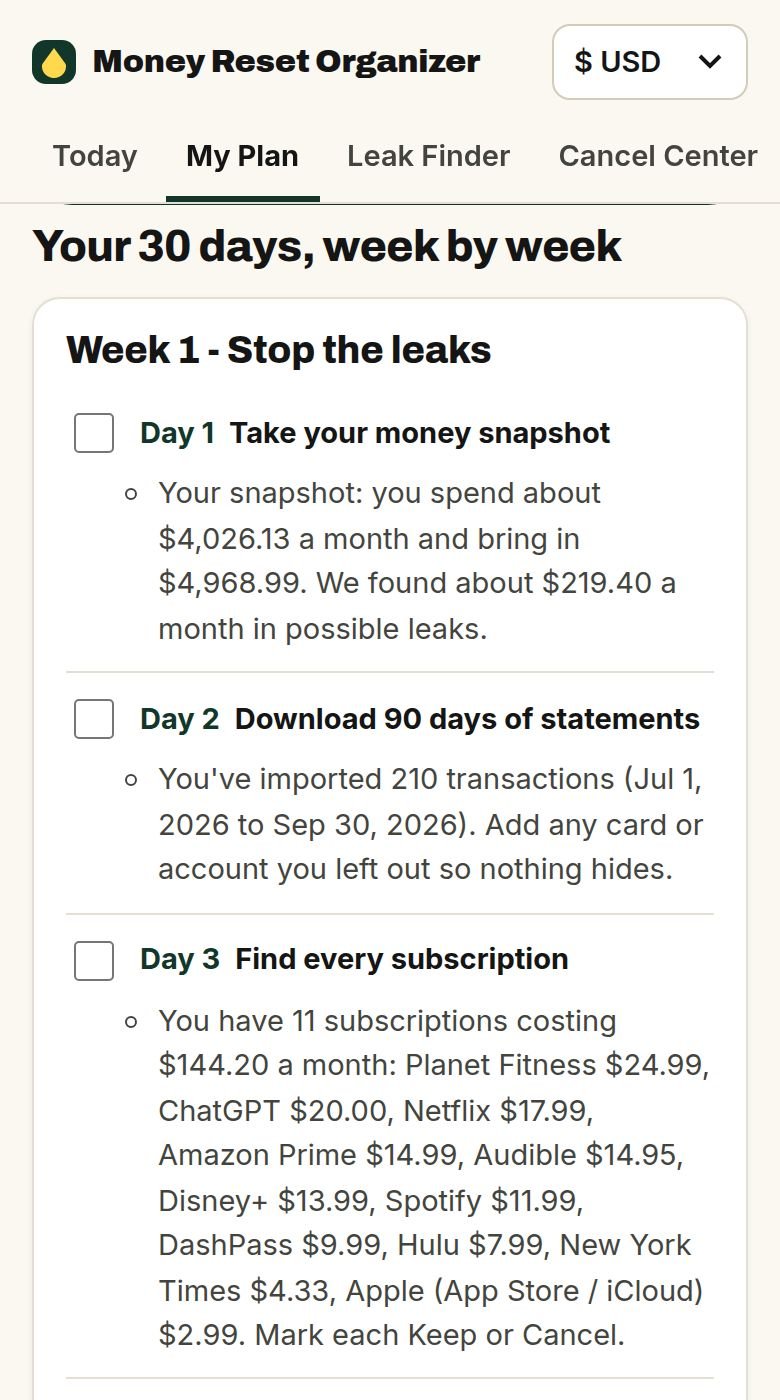
Most money plans are a generic checklist. Yours isn't. Every day of My Plan uses your subscriptions, your bills and your paydays, with the real link or phone number right there.
Example days from the sample statement. Yours will name your own bills.
Tick each day as you go. Print it or save it as a PDF. And if you want, the optional "Improve with AI" button sends an anonymous summary (never your statement) to make it even more specific.
Sample statement. Amounts are estimates; real savings depend on your calls and choices.
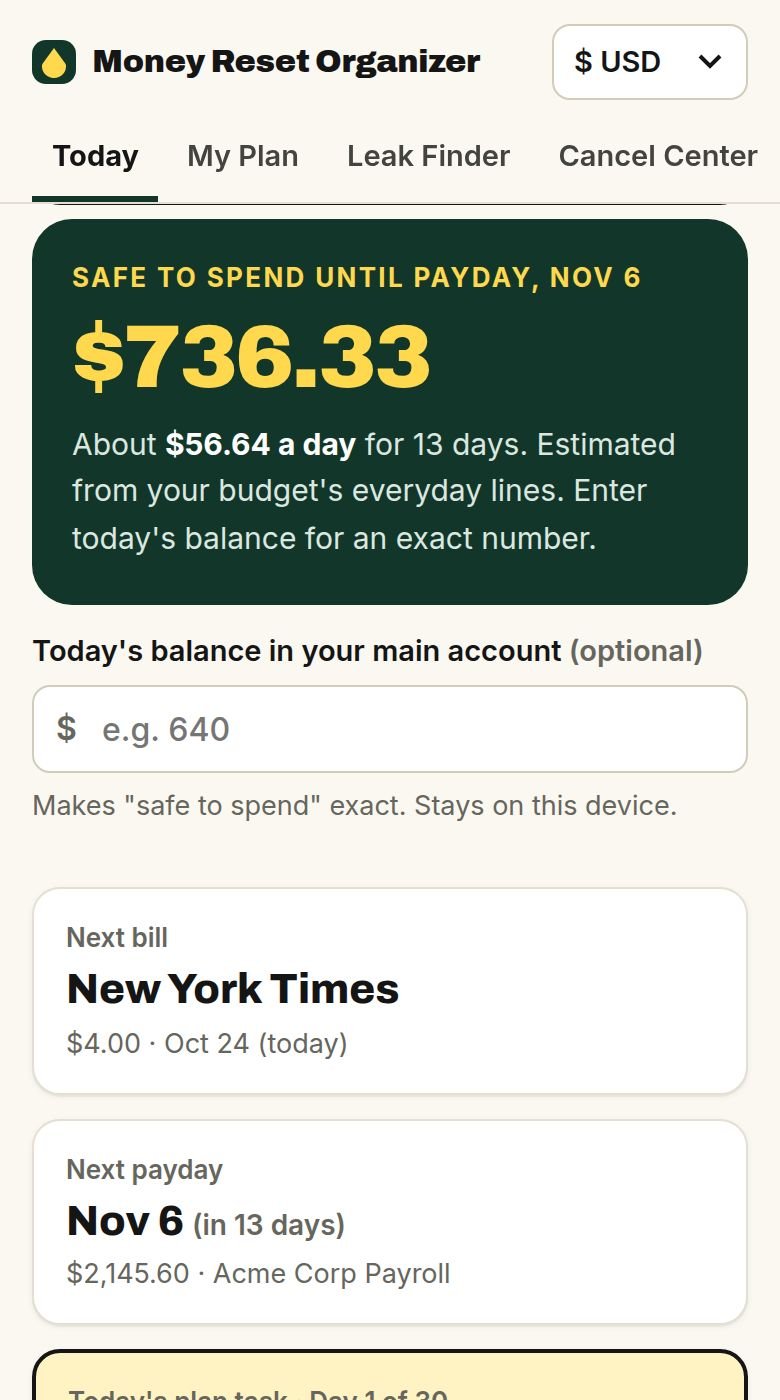
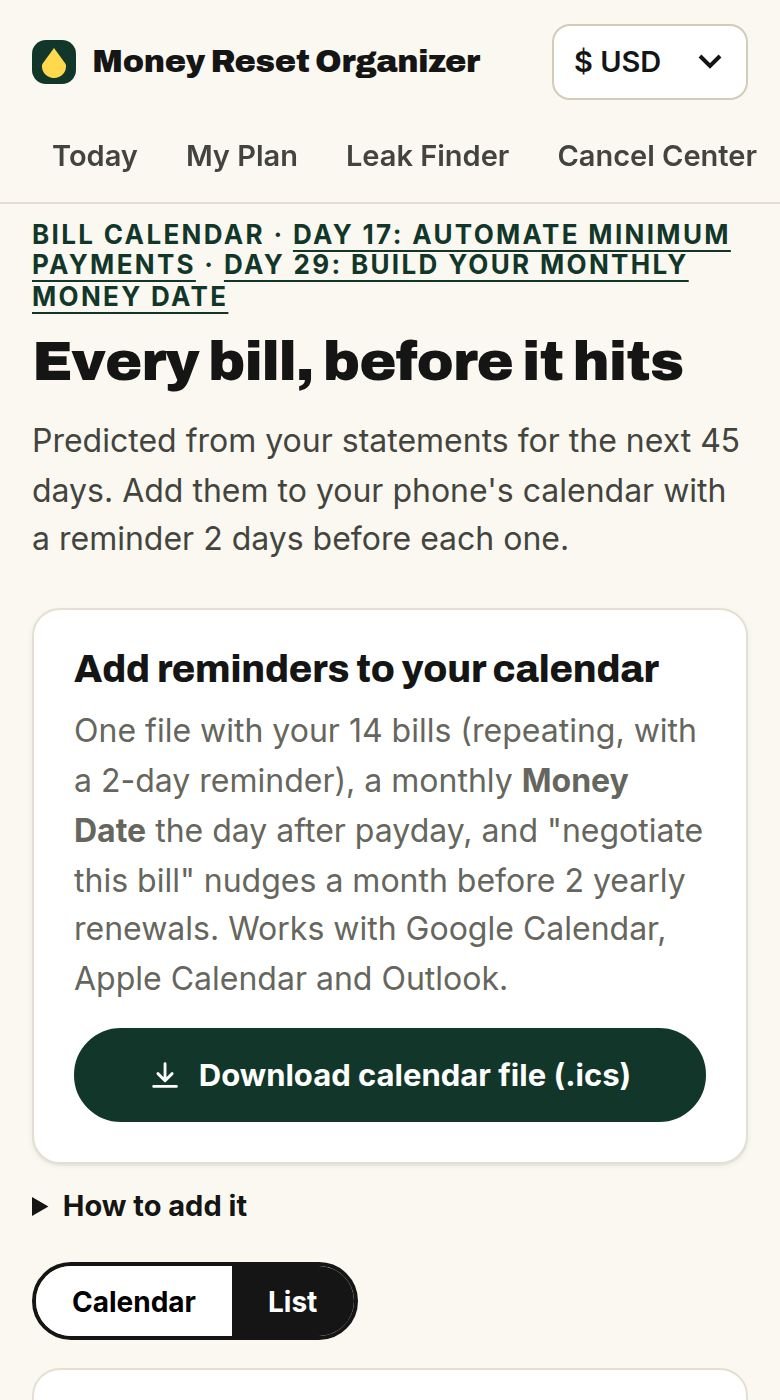
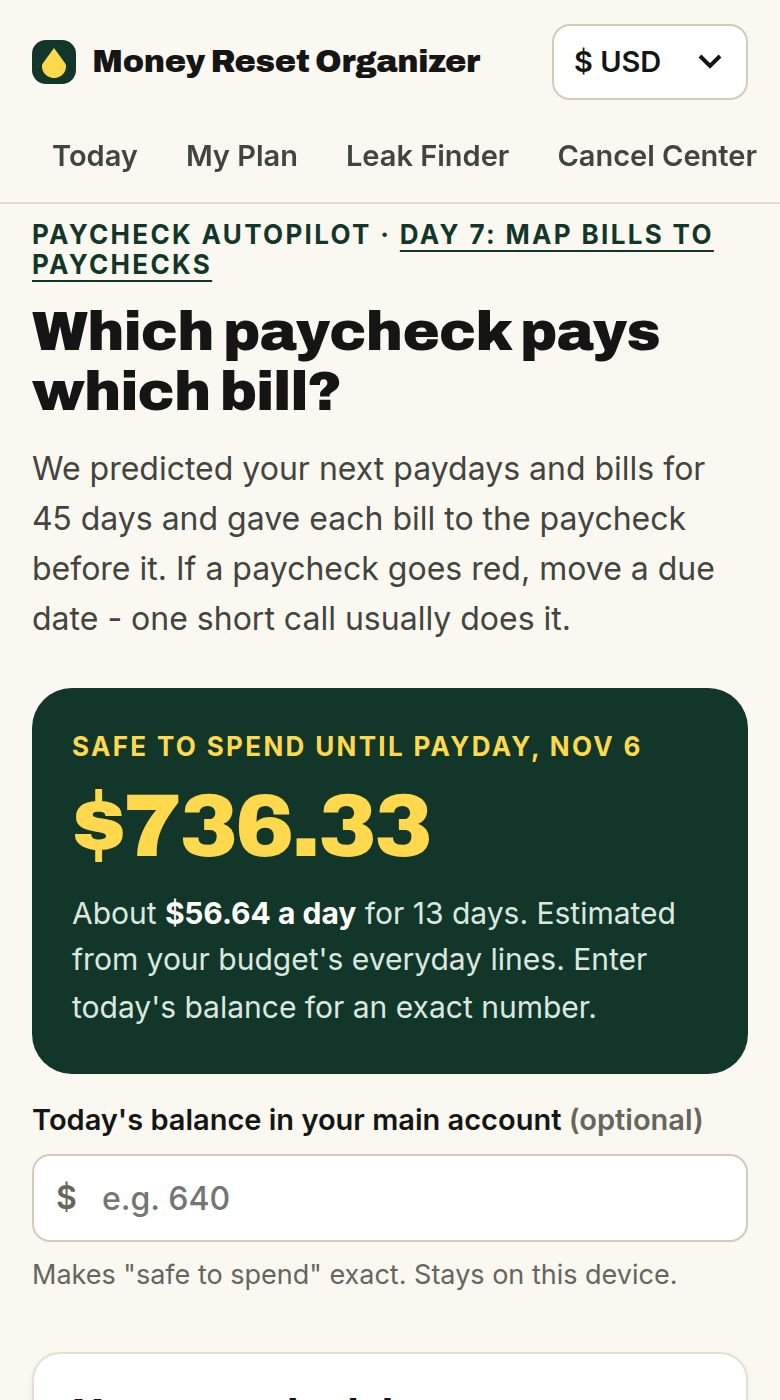
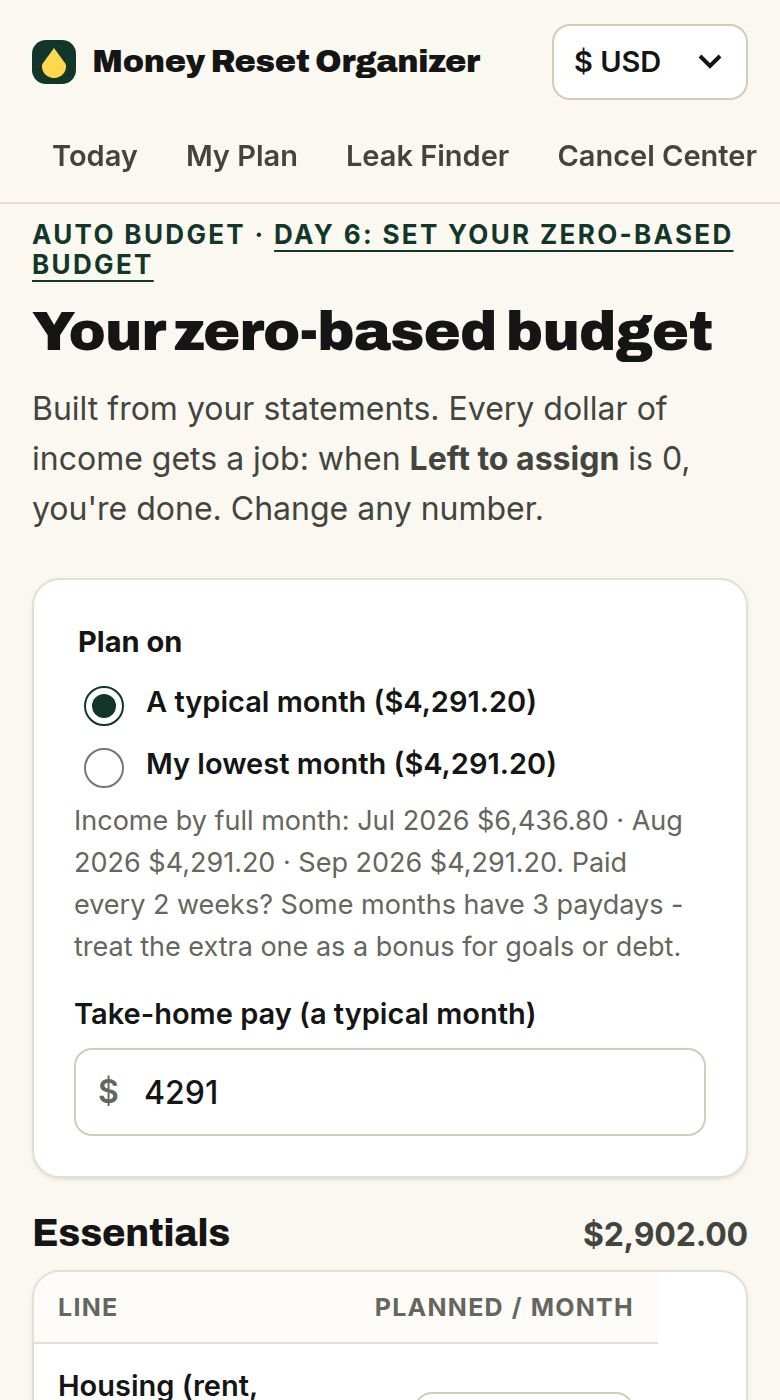
Know what's safe to spend, before you spend it.
The same statement sets up the everyday side of your money, so you don't type in a single transaction.
- Goals and sinking funds (holidays, car repairs, emergency fund) with the monthly amount worked out for you.
- A debt planner, snowball or avalanche, with your debt-free month in writing.
- Next month, drop in your new statement and see what changed: charges gone, spending against budget, debt going down.
15 minutes a day. Here's where you'll be.
- Every recurring charge in your statement listed in one place
- Your first cancellations done, using the official pages
- Every debt written down
- A budget that fits how you're actually paid
- Each bill matched to the paycheck that pays it
- Your phone, internet, energy and insurance checked, with a script for every call
- Bank fees and late fees asked back
- Bill reminders in your phone's calendar
- A food plan that cuts the takeout without cutting the fun
- A debt-free month in writing, minimums on autopay
- An emergency fund started and sinking funds set up
- Your own money rules and a 30-minute monthly money date
- Month 2 imported, so you can see what changed
What you do is up to you; what you save depends on your bills and your calls. No specific result is guaranteed.
Everything you get
The tool that does the work
If you'd rather read, listen or use a spreadsheet
Included bonuses
Why one payment?
Apps like this charge $5–15 every month, and most of them want your bank login. This is one payment, and it runs on your device. The point is to put money back in your account, not to become one more line in your statement.
This is for you if
- You're tired of wondering where your paycheck went.
- You suspect you're paying for things you don't use, but you've never sat down to find them all.
- You'd rather follow a plan than build one.
- You don't want to give a budgeting company your bank login.
It's not for you if you want investment tips, crypto or a get-rich-quick scheme. And it can't negotiate for you: it tells you where to click and what to say, and you make the calls.
Start your Money Reset tonight
- Money Reset Organizer app: Cancel Center + My Plan
- Call Scripts: lower your bills
- 30-Day Guide + 30 audio lessons
- Money Reset Spreadsheet
- Country Playbooks + bonus modules
- 7-day money-back guarantee
Apps like this charge $5–15 every month. This is one payment.
MONEY
BACK
Try it on your own statement for 7 days
Open the app, import your statement and start the plan. If it's not for you, ask for a refund through Hotmart within 7 days of purchase and you get every cent back.Who made this?
The Money Reset is made by Orvan, a small product studio. We built the Organizer because every budgeting app we tried wanted our bank login and a monthly fee. It runs in your browser, you pay once, and you can delete everything with one tap. The guide and lessons are written by Alison Amaral.
Questions before or after buying? Contact us from your Hotmart purchase page, or at orvan.pro.
Questions
Is it safe to use my bank statement?
The app runs inside your browser. Your file isn't uploaded to us or anyone else, and you never share a login or password. The only thing that ever leaves your device is optional: if you press "Improve with AI", an anonymous summary (service names and amounts, no account numbers or names) is sent to write a more detailed plan. You can delete everything with one tap.
Will it find every subscription I have?
It finds the recurring charges that appear in the statement you give it. With 90 days of history that's your monthly ones. Annual renewals only show up if your statement covers the month they were charged, so import 12 months if your bank allows it. Charges on a card you don't import won't appear, which is why Day 2 asks you to add every account.
Does it cancel things for me?
No, and that's on purpose: nobody needs your logins. It gives you the official page, the steps and a script. Most cancellations take a few minutes.
My bank isn't listed. Will it work?
Most banks let you download transactions as a CSV file, and the app reads almost any layout. If it guesses a column wrong, you fix it in one tap. You can also paste transactions as text.
I'm in the UK. Does it fit?
Yes. Pounds, UK date formats, payday planning, direct debits, council tax and UK services in the Cancel Center (Sky, PureGym, EE and more). It won't tell you to haggle over council tax or the TV Licence; it shows the discounts and exemptions to check instead, and the UK Playbook covers the energy price cap.
I'm in Canada. Does it fit?
Yes. Canadian dollars, paycheques every other Friday, chequing accounts, Canadian services in the Cancel Center (Rogers, Bell, Crave, GoodLife and more) and a Canada Playbook with TFSA, FHSA and free credit counselling.
I'm in the US. Which banks work?
Chase, Bank of America, Wells Fargo, Capital One, Citi, Amex, Discover, credit unions and most others that let you download a CSV. The US Playbook covers free credit reports, non-profit credit counselling and assistance programs.
I'm not a numbers person. Will I keep up?
That's who it's for. The app does the sums; each day is one small task in plain English, about 15 minutes.
How do I get access?
Right after payment, Hotmart emails you a login to the members area. The app link, the audio lessons and every download are there.
Is this financial advice?
No. It's an educational program and a tool to help you organise your money. For investments, taxes or serious debt, speak to a qualified professional or a free non-profit debt service. No specific saving is guaranteed.